A translator gets you through the moment. You type the phrase, show the screen to the person at the counter, and by the next day it's gone. A week later you translate the same sentence again.
Fícha started on the other end of that problem. It's a flashcard app for Rioplatense Spanish, the Spanish of Uruguay and Argentina, where people say vos instead of tú, ustedes instead of vosotros, and ¿tenés hora? instead of ¿tienes hora? I started building it in August and version 1.0 went on the App Store on October 2. It schedules every card with FSRS-6, so you see a word just before you'd forget it, and new cards ask you to produce the Spanish from the English, because that's the direction you need when someone is waiting for an answer. The cards that work best are whole chunks you'd actually say, like "hoy me quedo en casa".
But the cards still had to come from somewhere, and the place I meet new Spanish is a translator. So version 1.6, out today, puts the translator inside Fícha. It keeps everything you translate, and any line becomes a card with one tap.
Translate is the first tab
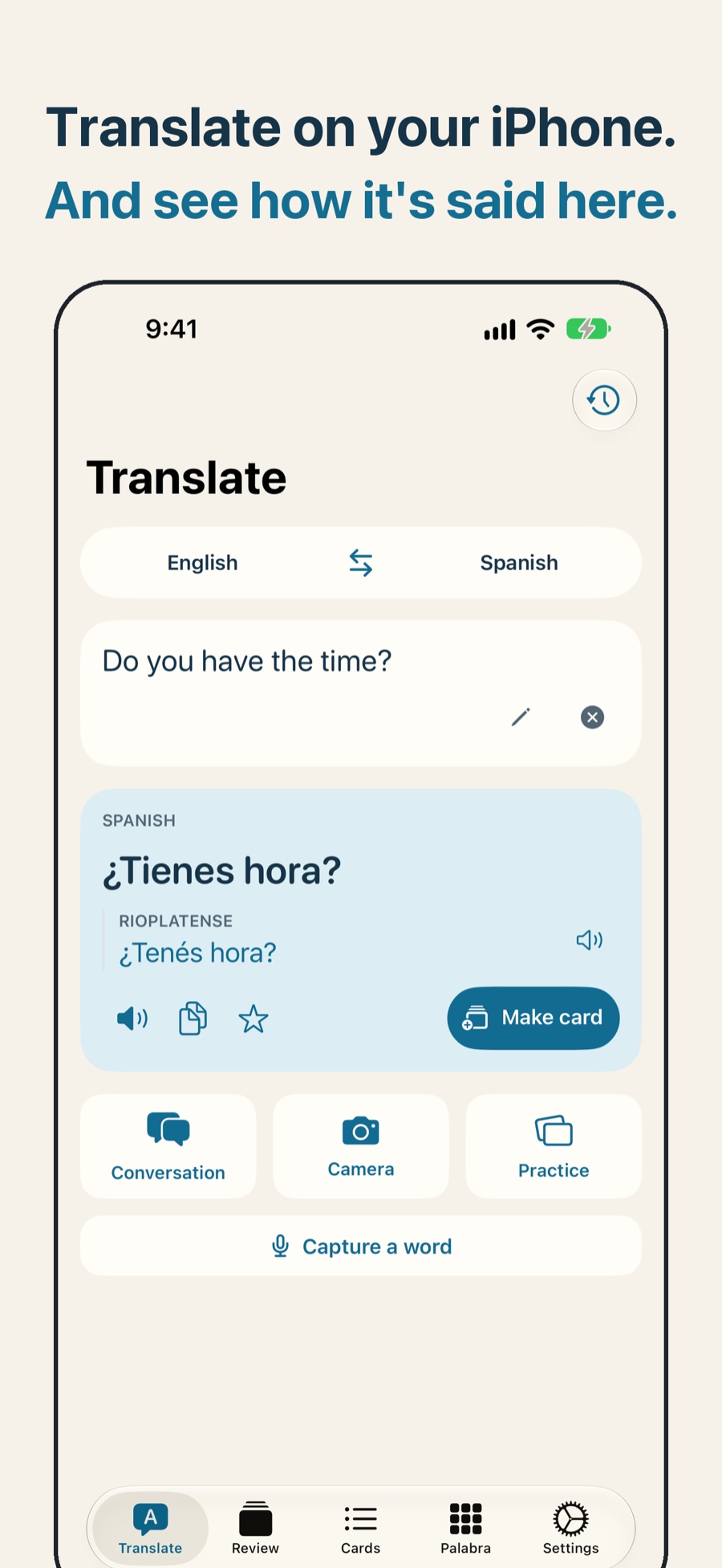
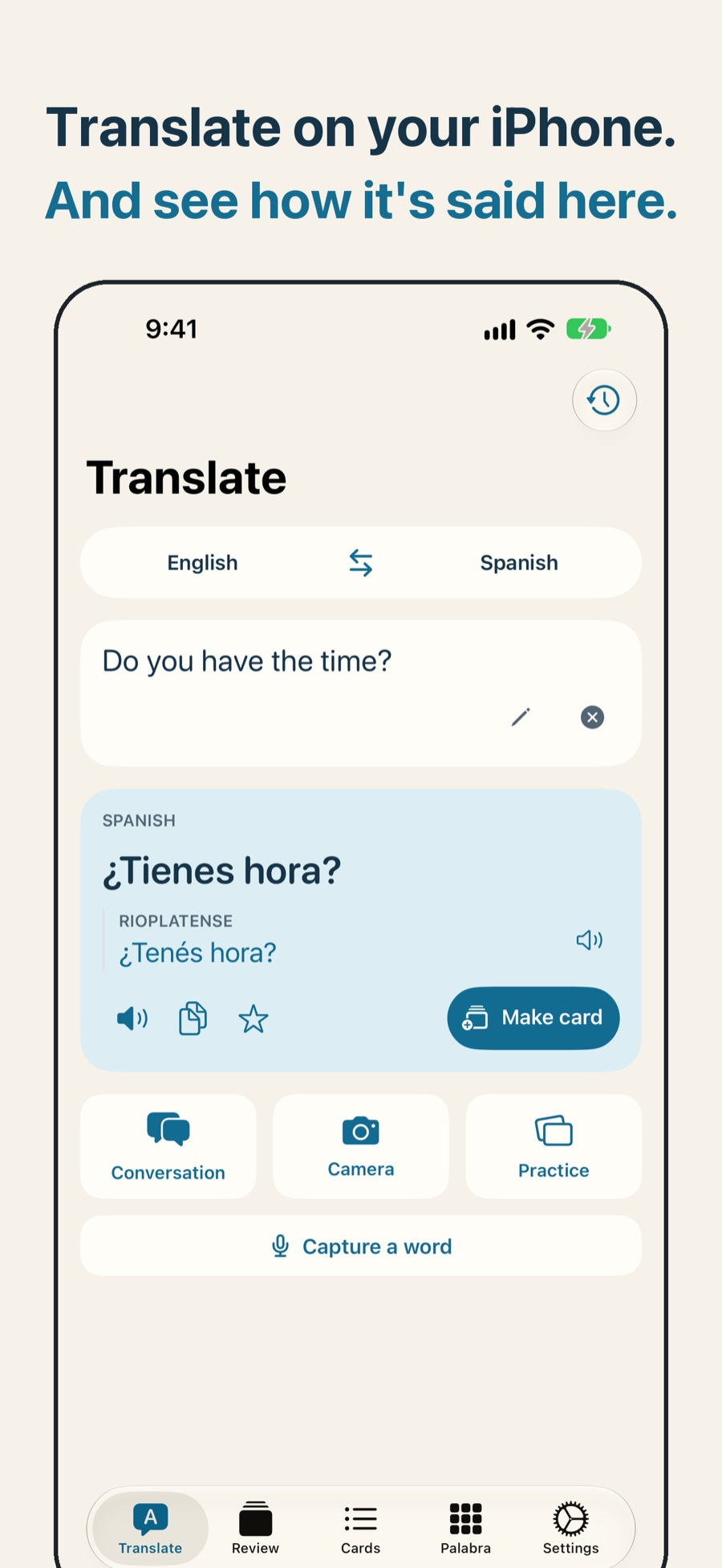
Fícha now opens on Translate. Type a word or a sentence and you get the translation right away. When the result is Spanish, Fícha puts the vos version underneath, so ¿Tienes hora? comes with ¿Tenés hora?, the way you'd hear it here. Everything you translate goes into History, you can star the lines you want to keep, and Make card turns any of them into a flashcard.
Translation runs on Apple's on-device engine, and it works offline once the language is downloaded. What you type, say and photograph never goes to Fícha's server. The only thing that does is a card, when you tap Make card, and a Spanish card gets an example sentence filled in a couple of minutes later.
Conversation
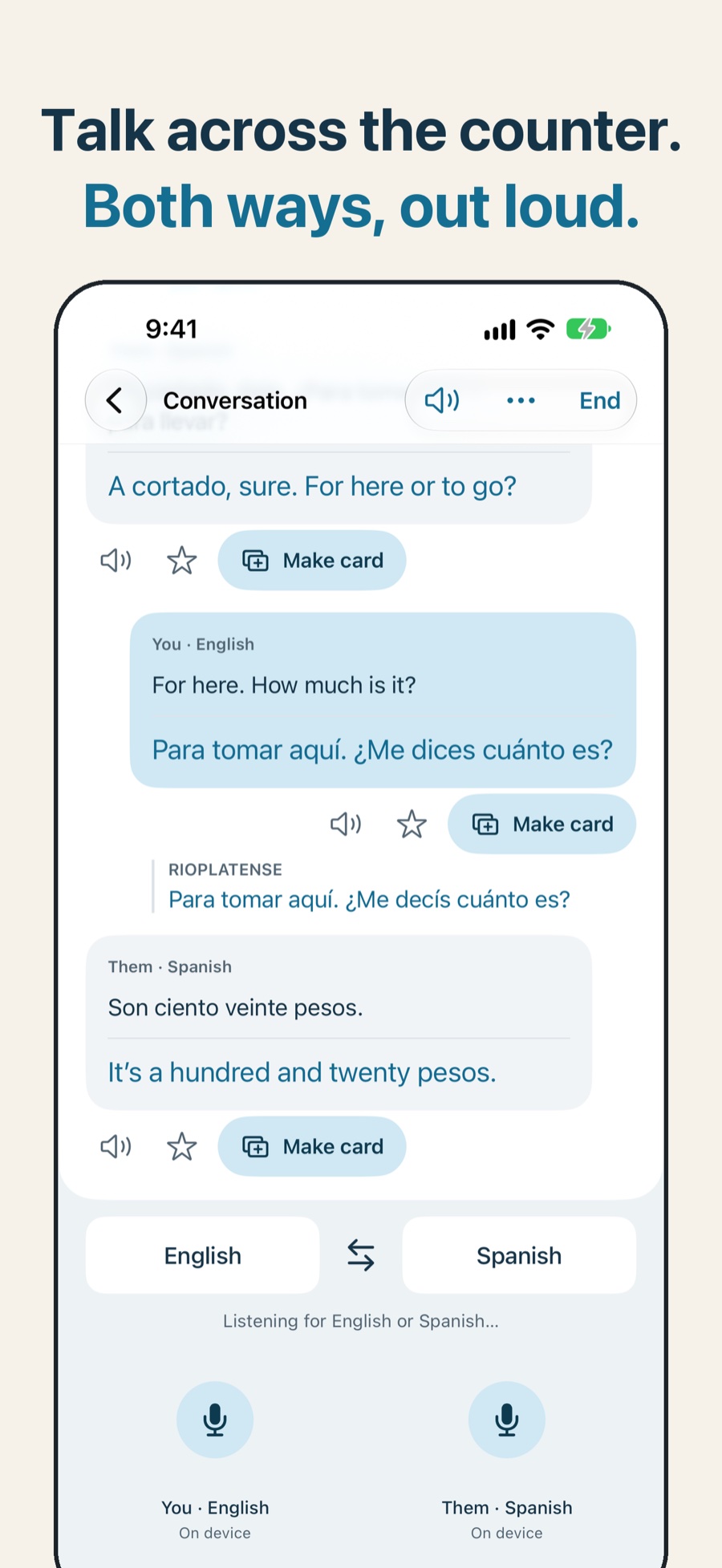
Conversation is for talking to someone across a counter. Fícha listens to both of you and says each translation out loud, in both directions. When you're done, the whole transcript is saved, and "Practise this conversation" turns it into a drill, so the next time you're at that counter you already know how it goes.
Camera
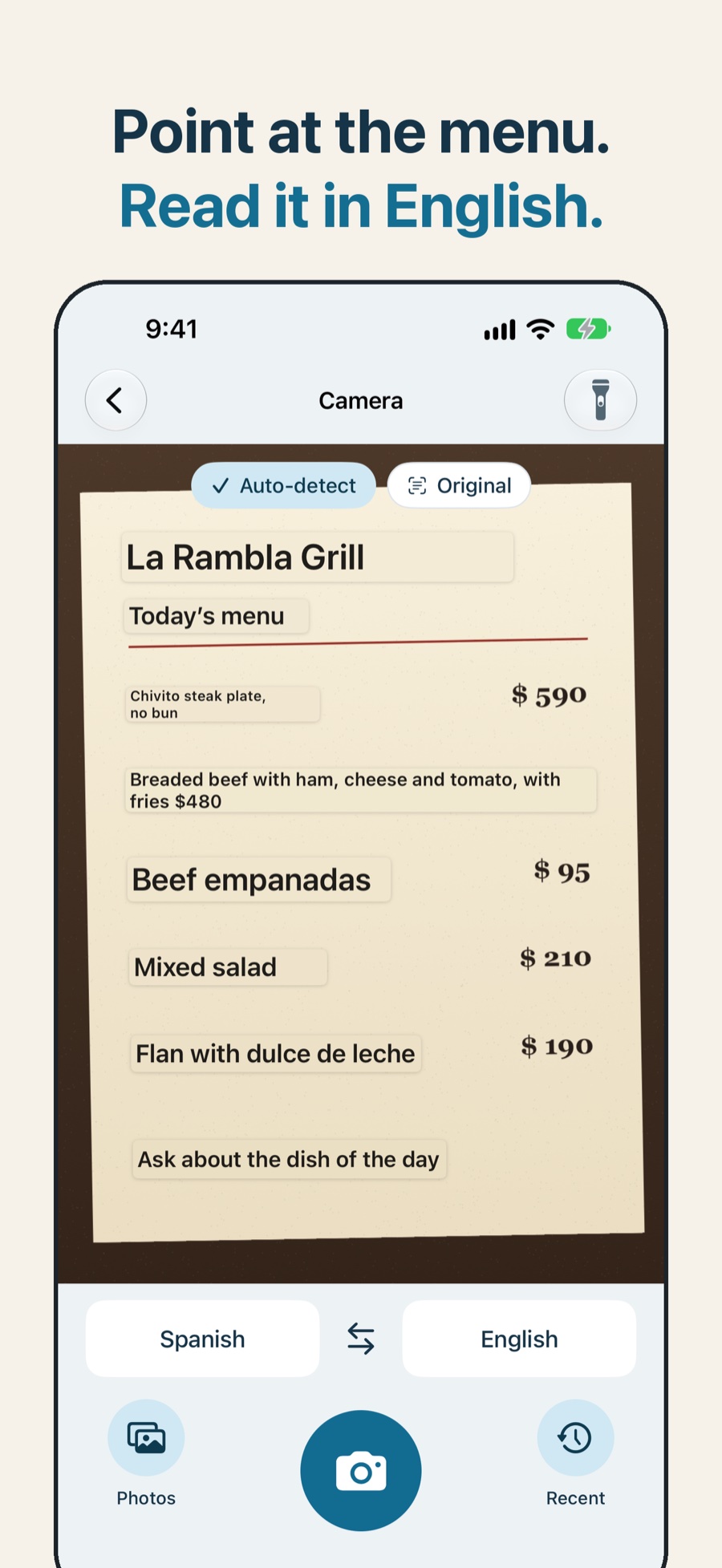
Point the camera at a menu or a sign and the English appears over the picture. Freeze it, tap a line, and you get that line's translation, which you can save or make into a card. The menu you read at lunch becomes the vocabulary you review on the bus.
Practice from your own phrases
Practice builds drills from the things you've translated, said and photographed. Listen plays a phrase, and you build it from the words or pick what it means. Speak shows you the English and you say it in Spanish (you can type if you'd rather not talk to your phone in public). Replay walks you back through a saved conversation, one line at a time.
Bring your Google Translate phrasebook
If you've been starring phrases in Google Translate for years, you can bring them in. Export the phrasebook, open the file in Fícha or paste the cells, and you get a preview before anything is imported. Phrases you already have are marked, so you don't end up with two of everything.
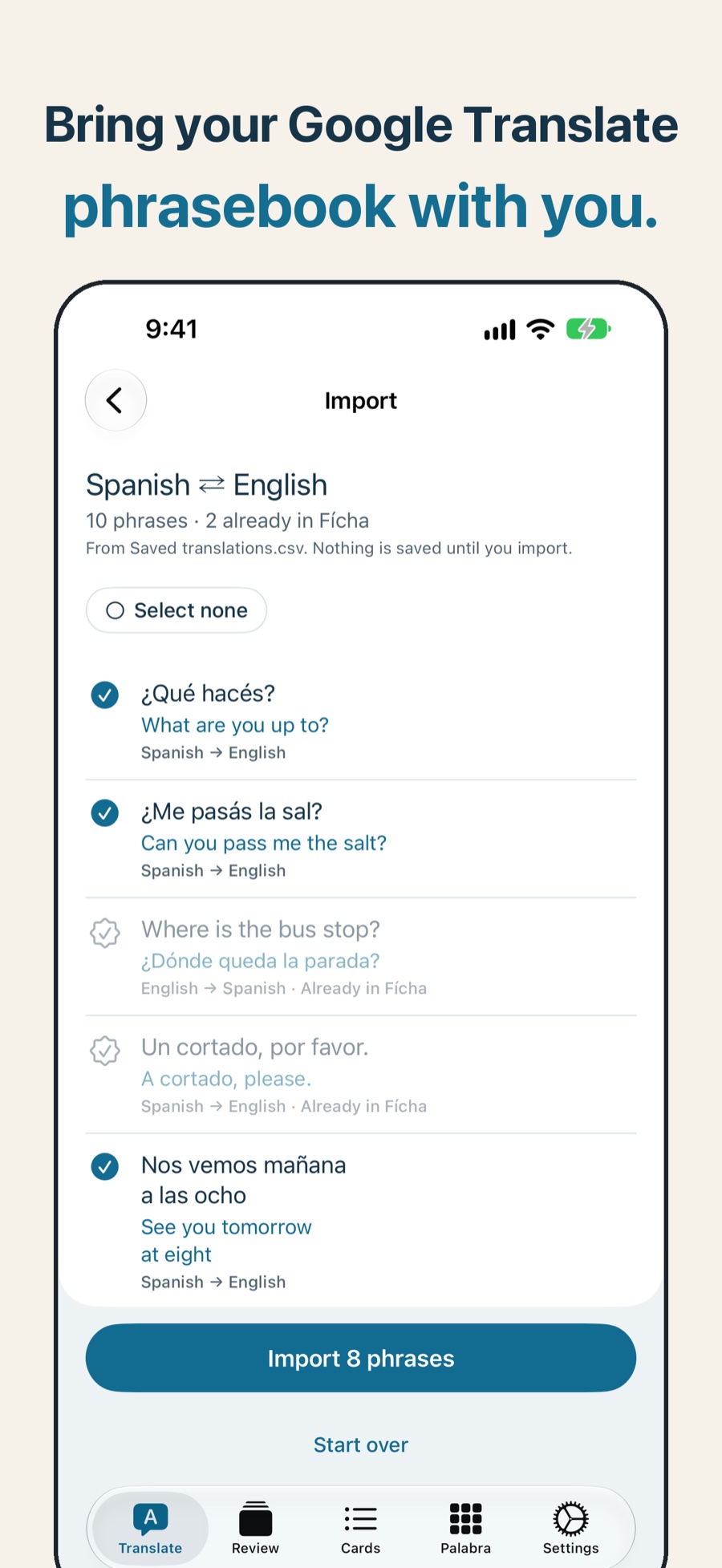
The same goes for cards. Fícha no longer makes the same card twice. It tells you a word is already in your deck, and if it's the same spelling with a different meaning, it asks whether you want a second card for that meaning.
How it was tested
The server's 1,578 tests pass, but the test I care about walks the whole loop in one run: type a translation, save it, make a card; replay a conversation; photograph a menu and turn a line into a card; paste a Google Translate export and import it. It runs once signed in and once as a guest with the network failing, because Fícha should keep working when the connection doesn't.
You don't need an account to translate. Open the app and you're translating, with the 669-word Rioplatense starter deck, the verbs, the alphabet and the daily word puzzle all working offline. Sign in when you want to make your own cards.